Free EU/US shipping on orders over €100 | Designed by Pilots, for Pilots
Drone pilot desk and studio setup: editing ergonomics, storage and wall art
Ask non-pilots what aerial photography looks like and they picture a drone hovering over a cliff at sunset. Ask an actual working pilot where they spend most of their week and they will point to their desk. For every hour in the air, you easily spend two hours offloading microSD cards, color-grading 10-bit D-Log M timelines, stitching orthomosaics, and cycling batteries through charging hubs.
Setting up a clean, ergonomic editing desk and studio space makes post-production faster, keeps lithium batteries organized safely, and creates a professional backdrop when you hop on video calls with clients.
In short: Split your workspace into a fire-safe battery charging zone and a clutter-free editing zone equipped with a high-precision aerial photography mouse pad, a dedicated pilot coffee mug, padded laptop protection, and museum-grade aerial wall art prints behind your monitor.
1. Keep your battery charging station separate from your editing surface
The golden rule of a drone studio is separating high-current charging hubs from the area where your keyboard, external SSDs, and monitor sit. Designate a side shelf or metal tray with a multi-port GaN charger strictly for flight batteries and controllers.
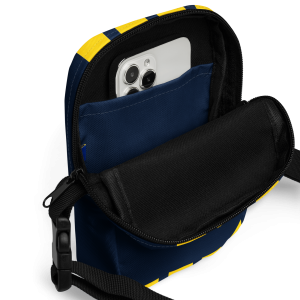
When batteries finish charging, store them at storage voltage inside your drone pilot crossbody sling bag or pilot duffle bag so your desk stays completely clear for editing.
2. Upgrade your desk surface for timeline scrubbing and masking
Color grading in DaVinci Resolve or retouching nadir panoramas in Lightroom requires thousands of micro-movements with your mouse or pen tablet. Working on a bare wooden or glass desk wears down mouse skates and causes cursor jitter during fine masking.
Our home and office accessories collection includes smooth, low-friction polyester surfaces with natural rubber bases that stay planted on your desk:
- Drone pilot aerial city view mouse pad: Compact, rounded-edge pad featuring a top-down urban grid.
- Docked yachts wide desk mat: Extended surface that fits both your keyboard and mouse for sweeping timeline edits.
- Drone pilot padded laptop sleeve & Boeing 747 cockpit sleeve: Plush interior lining that protects your MacBook or editing laptop when moving between your studio desk and field shoots.
3. Build a client-ready background with framed aerial wall art
If you pitch commercial clients over Zoom or welcome agency producers into your studio, a blank white wall behind your chair misses an easy branding opportunity. Hanging large-format aerial photography immediately communicates your visual taste and passion for perspective.
Some of the most popular pieces in our aerial photography wall art collection include:
- Lough Tay “Guinness Lake” Ireland framed print: Deep moody tones that pair naturally with dark-mode studio setups.
- Venice Lagoon sunset framed poster & Antelope Canyon print: Warm golden-hour palettes that brighten up neutral office walls.
- Dublin aerial residential grid poster & Boats docked on the pier canvas: Classic top-down geometric compositions that showcase what makes drone photography unique.
Not sure which dimensions fit above a dual-monitor desk or studio sofa? Check our poster sizes and framing guide before ordering.
4. Comfort touches for long rendering and grading nights
Late-night rendering sessions are much better with good coffee and a comfortable studio chair. Keep a ceramic drone pilot mug or What’s Your Superpower pilot mug on your coaster (and if years of espresso leave a ring inside, use our 5 pantry methods to remove coffee stains from your mug). Add a soft drone pilot studio pillow and aerial photo throw blanket to your studio couch for reviewing rough cuts in comfort.
Frequently asked questions about aerial photography studio setups
What lighting temperature is best behind an editing monitor?
Use a neutral 6500K (D65) bias light strip behind your monitor and avoid strongly tinted wall paint directly in your field of view so your eyes maintain accurate white balance while grading aerial video.
Should I choose framed posters or canvas for a home studio?
Matte paper prints and canvas both minimize glare from studio windows and softboxes. If your wall faces a bright window, our canvas wall art or unglazed matte poster prints prevent reflections on camera during video calls.